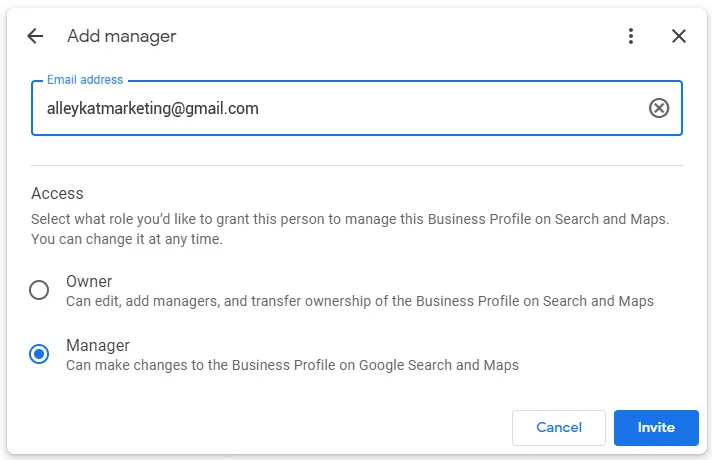
How to add Alley Kat Marketing as a manager of your Google Business Profile
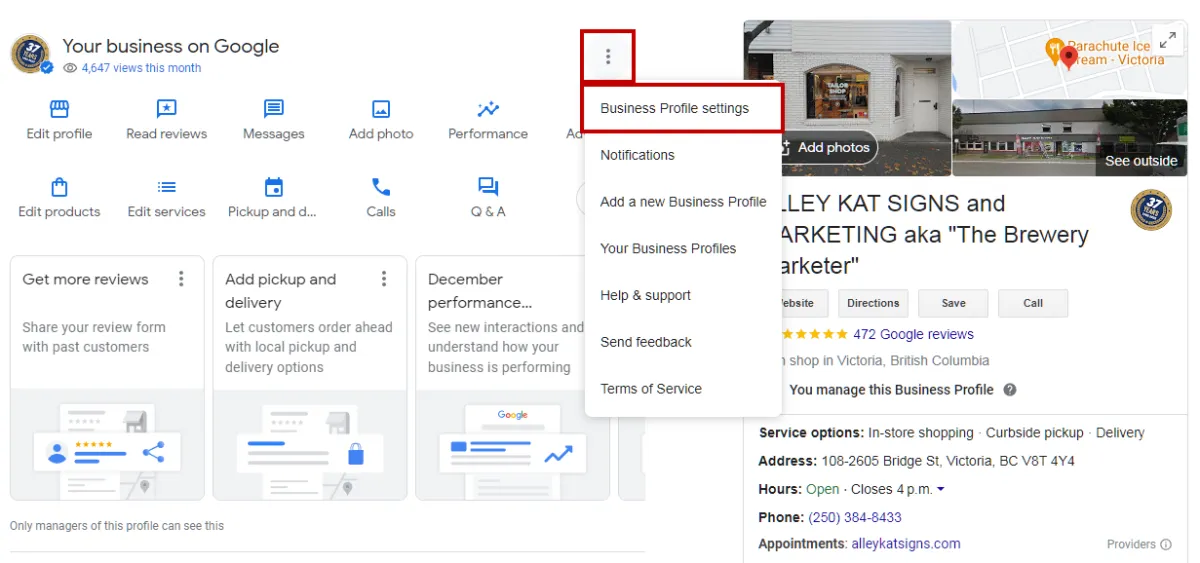
While signed into the correct Google account, navigate to the Google Business Profile you own with that account. This can usually be done by going to business.google.com. Click on the three dots next to “Your business on Google,” and click on “Business Profile settings.”
If you don’t see these options, or if clicking the link took you to a page asking you to set up a new business profile, ensure you are signed into the correct Google account in the top right corner.
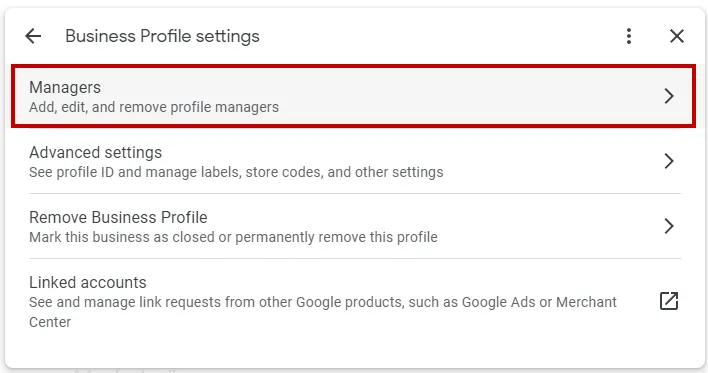
This should bring up a dialogue box. Click on the “Managers” option.
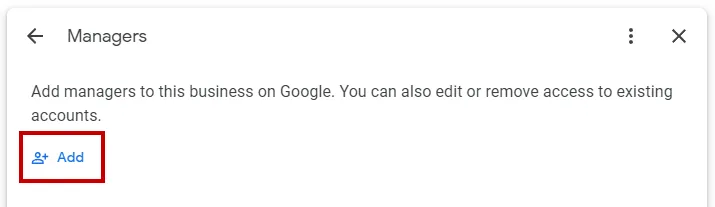
Next, click the “Add” button.
In the “Email address” field, add [email protected] and under “Access,” select “Manager.” Selecting Manager instead of Owner ensures we will be able to do the work we need to do but won’t be able to add new owners/managers, change roles, or remove any of your existing owners/managers.